
Stick to-dos on the wall
Put them on the Home wall and peel them off when done. Instead of ticking a box.
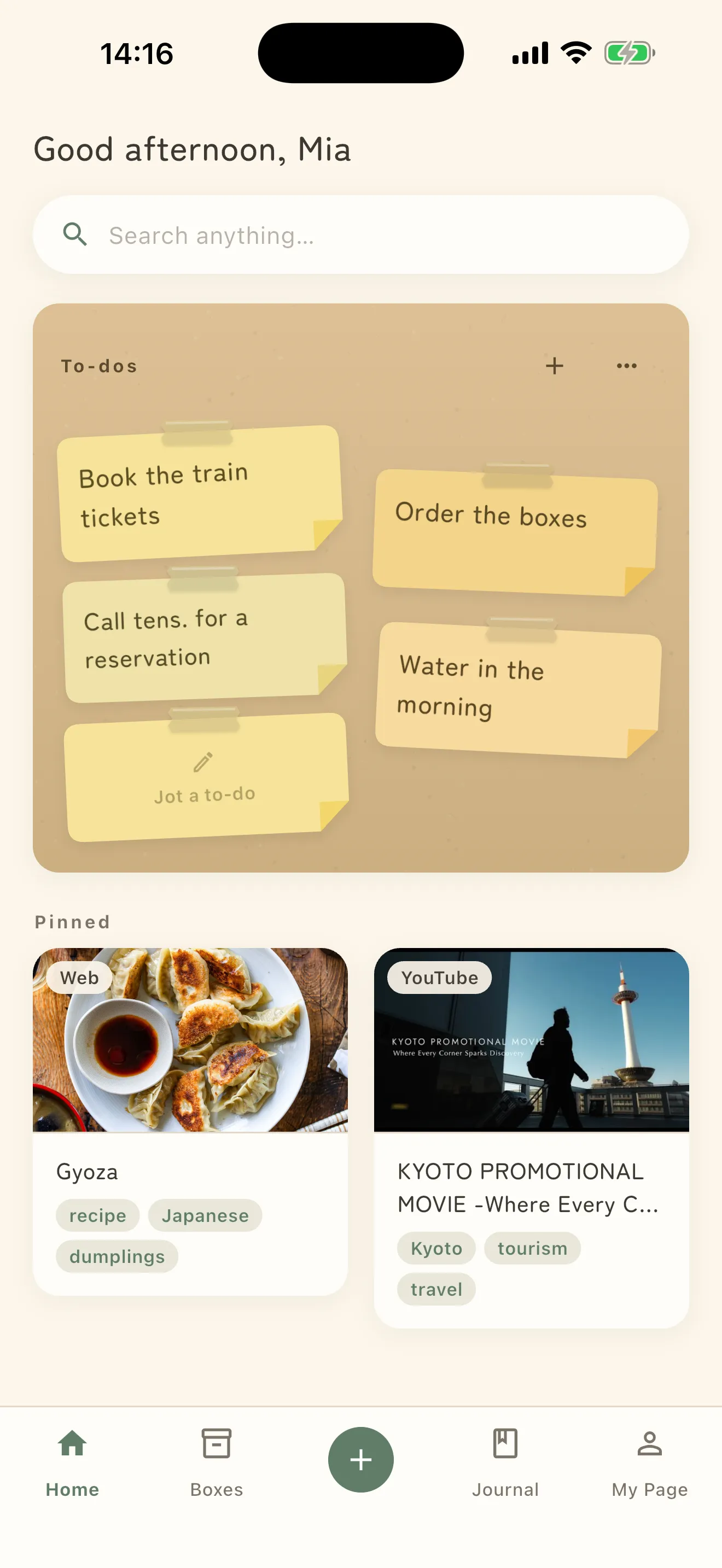
The top half of Home is a wall of sticky notes, headed To-dos. Whatever you stick there meets you every time you open the app.
Stick one on
Tap Jot a to-do on the empty note, or + at the top right of the wall.
One thing per note, kept short — about the length of “make a souvenir list”.
A note holds 40 characters. At the limit, a link appears under the field: Getting long. Save it as a memo instead? Tap it and the text moves straight into a memo, so you never have to delete and retype.
To change what you wrote, tap the note.
Peel it off when it’s done
You don’t tick a box — you drag the note off the wall with your finger. Peeled off appears and it leaves the wall.
Peeled notes are not deleted. They collect under Peeled sticky notes, keeping the date you peeled them.
Peeled one by accident? Put back on the wall returns it.
Clear the whole wall and you get All peeled off.
What a long press gives you
Press and hold a note for four options.
- Move to top — urgent things go first
- Sticky note color — leave it on Auto and colors are assigned for you
- Set a reminder — notes can carry a deadline too
- Throw this note away — different from peeling; this one leaves no trace in the pile
Dragging is not how you reorder. Dragging is bound to peeling, so to avoid finishing a note while trying to move it, order is set with Move to top.
If you’d rather not see it on Home
Under Home sections in Settings, turn off Show to-dos on Home and the whole wall is hidden — for when you only want a place to put things away.