
Write down the day
A mood, a few words, a photo. Once a day, that's all.
Open Journal at the bottom to leave something about today. Once a day, and that is all.
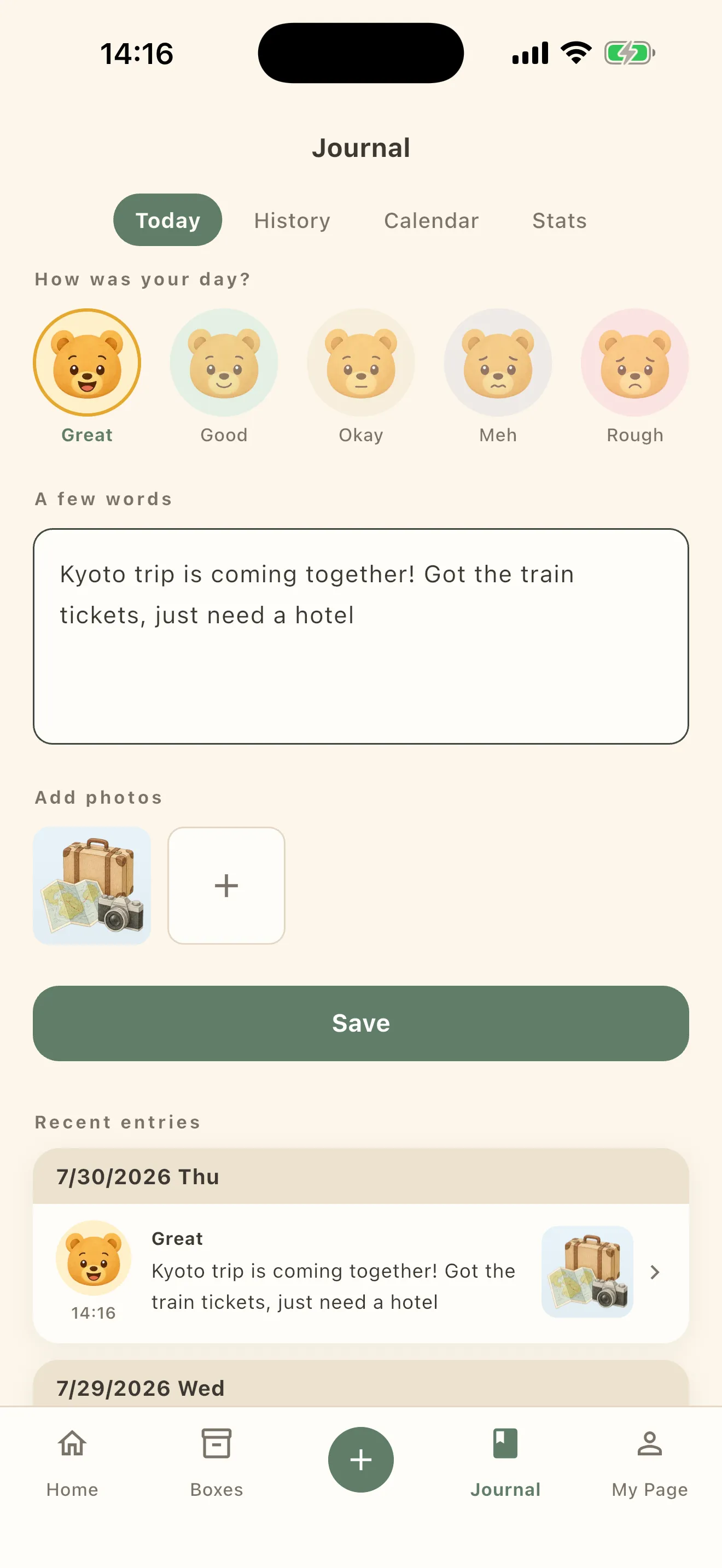
What you write
Answer How was your day? by picking a bear’s face. Five of them: Great / Good / Okay / Meh / Rough.
Below that is A few words, and then Add photos. Tap Save when you’re done.
None of it is required. Picking one mood already counts as an entry. A diary this small is one you actually keep.
Looking back
There are four tabs at the top.
- Today — write today’s entry
- History — newest first; filter by mood or by entries with photos
- Calendar — a mood color on each date
- Stats — look back at a stretch of time
Stats
Pick a range from 1W 1M 3M 1Y All and you get a look back over it.
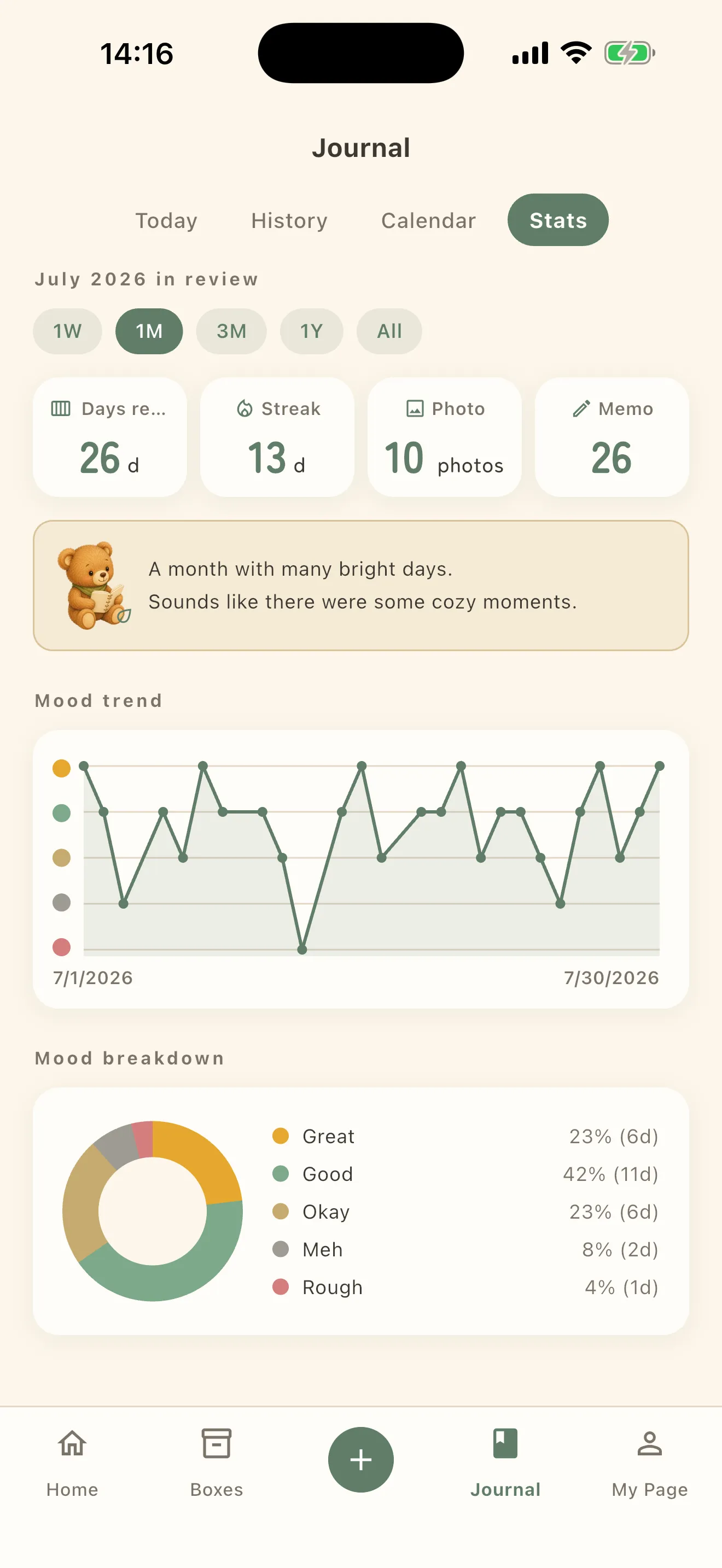
Four things show up.
- The counts for Days recorded / Streak / Photo / Memos
- A sentence about that stretch (“A month with plenty of bright days.”, say)
- Mood trend — daily moods as a line. It appears once you have two days.
- Mood breakdown — how many days landed on each of the five
Where it is kept
Journal entries live on this device, like everything else you put away. They are not stored on our servers.