
Find it with the words you remember
No exact keywords needed. It also tells you what each result matched on.
Type the words you actually remember into Search anything… at the top of Home.
Plain speech is fine — “that place in Kyoto I saved last week”. You do not have to recall the exact title.
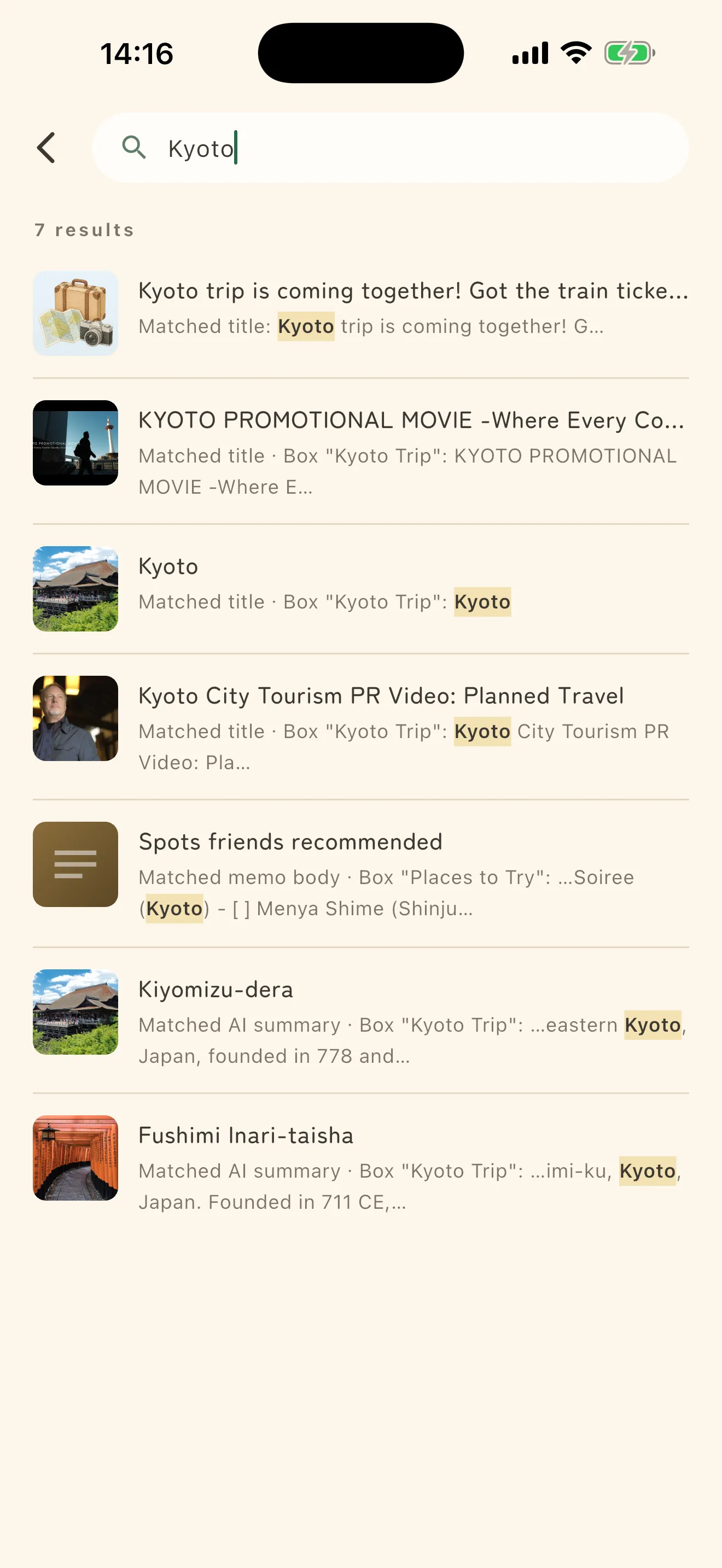
It tells you what matched
Each result carries the place the match came from.
- Matched title
- Matched AI summary — the summary the AI wrote, not something you typed
- Matched screenshot OCR — text read out of an image
- Matched my note
- Matched tags
That is a hint for how to search next. If it matched the summary, the words are not in the body.
When nothing comes up
If you get Nothing found, try other words, or the fragment you do remember. You do not need the whole thing.
Repeat a search and it stays under Frequent searches, so next time you just pick it.